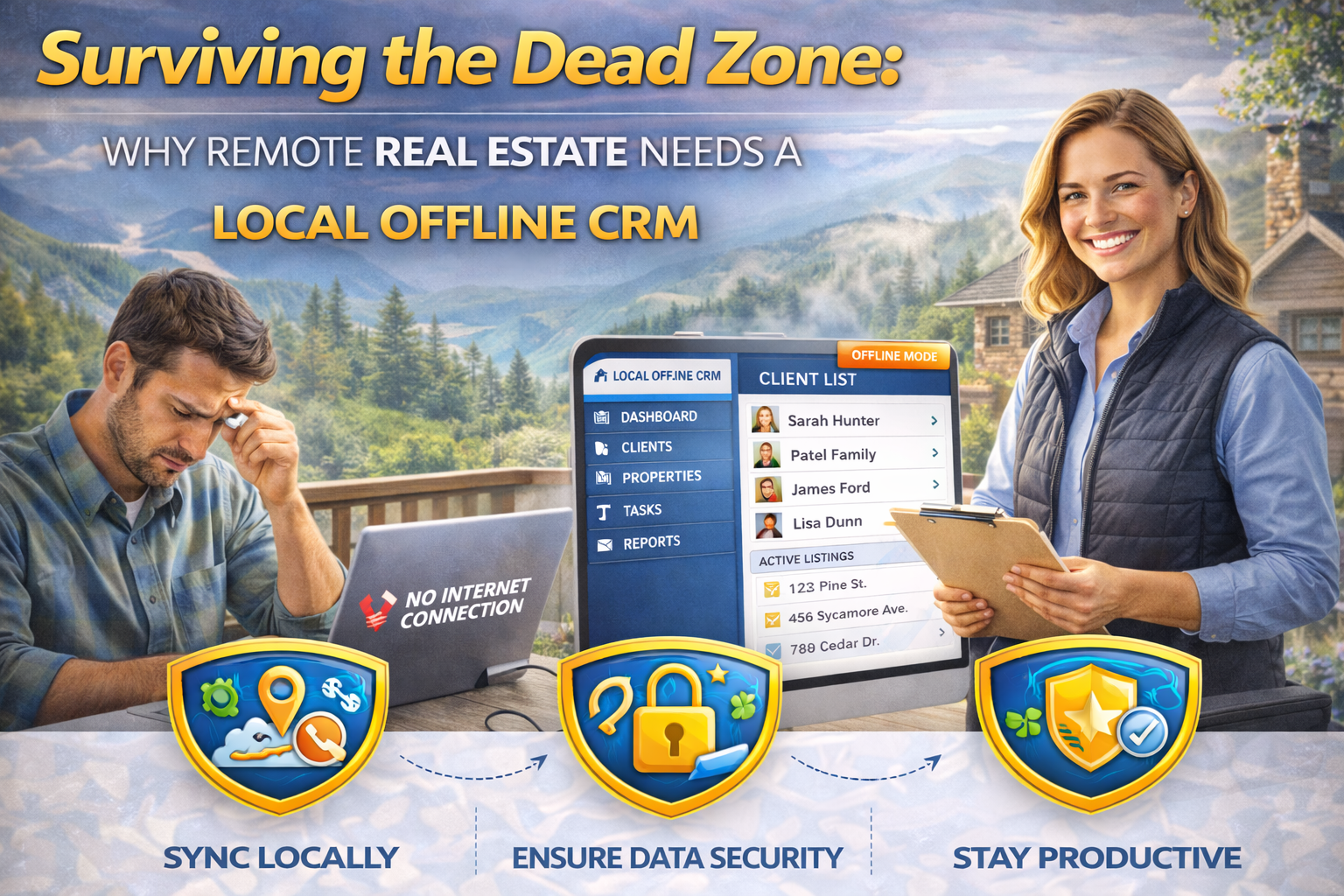
Selling off-grid properties with zero cell service? Discover how a Local Offline CRM keeps your real estate business running without an internet connection.
Table of Contents
I was riding shotgun in a beat-up Ford F-150 with a client a few months ago, touring a massive 500-acre parcel of rural real estate. We were an hour outside the nearest town, completely surrounded by towering pine trees, and we had absolutely zero cell service. My client, a developer looking into remote land sales, asked me to pull up the soil reports and the contact info for the local surveyor. I reached for my phone, only to see the dreaded “No Service” icon mocking me from the top corner of the screen.
If I had been relying purely on a cloud-based database, that massive deal would have stalled right there on a dusty dirt road.
That exact experience is why a Local Offline CRM is the unsung hero of the rural property market. When you sell off-grid properties or manage distant timber tracts, you simply can’t rely on a constant 5G connection. You need your data stored safely and reliably right on your device. Let’s break down how this specific technology actually keeps your business alive and thriving when the grid goes completely dark.
The Reality of Selling Raw Land and Rural Real Estate
Selling a downtown luxury condo is relatively easy when it comes to connectivity. You almost always have Wi-Fi in the lobby or a strong cellular signal. But dealing with raw land or agricultural acreage is a completely different beast.
Real estate investors walking a property want answers on the spot. They want to know where the property lines end, if the mineral rights convey, and what the zoning restrictions dictate. If you have to tell a buyer, “Let me look that up when I get back to the office,” you lose momentum.
If your notes are locked behind a web browser, you look unprepared to the client. A Local Offline CRM solves this major friction point by storing your entire database directly on your laptop or tablet’s hard drive. It doesn’t ask permission from a server hundreds of miles away to show you a file. The data is just there, waiting for you to access it instantly.
How a Disconnected Database Actually Functions
It might sound like a step backward to use software that doesn’t live perpetually in the cloud. We’ve all been conditioned to think everything needs to sync instantly, second by second. However, for a real estate broker operating in remote valleys or deep mountainous terrain, local storage is a massive operational advantage.
When you utilize a Local Offline CRM, you download the software application directly to your physical machine. You enter your client details, track your property management logs, and write down your contract notes directly onto your device’s storage.
Here is the magic part that makes it viable for modern business. When you finally drive back into town and hit a secure Wi-Fi zone, the software automatically triggers a sync. It pushes your new field data to your main office server and downloads any updates your team made while you were gone. It’s the perfect hybrid approach for off-grid operations.
Key Features for Remote Land Sales
Not every database is built for the rugged backcountry. If you are a land developer or an agent specializing in remote hunting cabins, your system needs specific capabilities that standard software ignores.
- Full Data Access: A true Local Offline CRM allows you to read and edit files without a connection. You can draft an initial offer while sitting on a tree stump.
- Conflict Resolution: What happens if your assistant updates a file in the office while you update it in the field? The system should flag the discrepancy when you reconnect, letting you choose the correct version.
- Document Storage: You need heavy PDF maps, well permits, and initial contract drafts saved locally, not just basic text fields.
Protecting Client Data from the Cloud
Let’s talk about a surprising, and highly relevant, benefit of a Local Offline CRM that has absolutely nothing to do with cell towers: security. We hear about massive cloud data breaches almost weekly on the news. Hackers target centralized servers because they hold millions of records in one convenient place.
When your client data lives on your physical device, it is isolated from the broader internet. If you are dealing with high-net-worth real estate investors buying private hunting lodges or expansive commercial real estate, they often appreciate discretion. They like knowing their financial details aren’t floating around on a public cloud server waiting to be compromised.
Of course, this means your personal device security is paramount. You need strong encryption and password protection on your laptop. According to the National Association of Realtors (NAR), protecting consumer data is a top fiduciary duty. Keeping it local can sometimes be the most secure option for highly sensitive, off-market remote transactions.
Real-Life Example: The Off-Grid Property Manager
I have a buddy named Tom who runs a property management company specializing exclusively in off-grid vacation rentals. These cabins use solar power arrays, satellite internet (when the weather is clear), and deep water wells. Maintaining them requires an immense amount of logistical planning.
Tom used to carry a massive, heavy binder filled with maintenance logs. If he lost a page in the wind, it was gone forever. He switched to a Local Offline CRM last year, and it completely revolutionized his weekly workflow.
Now, he can pull his truck up to a remote cabin, open his rugged tablet, and log the HVAC maintenance or solar battery levels directly into his Local Offline CRM. He doesn’t wait for a spinning loading wheel. Later that evening, when he’s back at his home office, the system syncs quietly in the background. His invoices generate automatically based on his field notes. He isn’t wasting two hours re-typing his handwritten chicken scratch at the end of a long day.
Choosing the Right Local Offline CRM for Your Needs
There are a lot of flashy sales tools out there, but many of them will fail you the exact second you lose your LTE signal. When vetting software for your rural real estate business, you have to ask the hard, technical questions before you buy.
“Does this program require an active internet connection just to open a client file?” If the software rep answers yes, you need to walk away. You need a system built with a true “local-first” architecture. It needs to treat the cloud as a convenient backup tool, not as the primary brain of the operation.
For context on how databases manage this kind of complex localized data storage, Wikipedia’s entry on Distributed Databases offers a great look into how information can live locally and sync globally without catastrophic data corruption. It is the exact underlying framework that makes your Local Offline CRM functional and reliable.
Managing the Closing Process from Anywhere
Closing a deal on remote acreage is rarely a straightforward, simple process. There are environmental surveys to review, old easement disputes to settle, and complex title hurdles to jump over. You need all that dense documentation at your fingertips when meeting with county officials or land developers in rural outposts.
With a highly reliable Local Offline CRM, you can pull up the entire communication history with the title company right from the cab of your truck. You aren’t guessing what was said three weeks ago. You have the facts, right there on your hard drive. This intense level of preparedness wins trust, builds authority, and ultimately closes difficult deals.
FAQ Section
What exactly is a Local Offline CRM? It is a customer relationship management software that stores its active database directly on your computer or mobile device’s internal hard drive, rather than relying strictly on a cloud server. This allows you to access, read, and edit client information without any internet connection whatsoever.
Will a Local Offline CRM sync my data when I get back online? Yes. The best systems on the market use a hybrid model. They store data locally while you are out in the field showing off-grid properties, and then automatically sync with a secure master server the moment your device detects a stable Wi-Fi or cellular connection.
Are my real estate client files safe on a local device? They are very safe as long as your physical device is secure. You must use strong device passwords, hard drive encryption, and ensure that your Local Offline CRM requires a secure login even when the computer is completely offline.
Can I use it on my phone while walking property lines? Most modern offline options offer a mobile app companion. Just ensure you download or “cache” the specific client files, surveys, and maps to your phone’s memory before leaving your home or office Wi-Fi network.
Is a Local Offline CRM more expensive than cloud software? Not necessarily. In fact, some offline systems require a simple one-time software purchase rather than a perpetual monthly subscription, which can actually save real estate agents a significant amount of money over the long haul.
Conclusion
At the end of the day, success in real estate is about being wildly prepared. When you deal in raw rural land, expansive hunting tracts, or off-grid getaways, the environment is entirely unpredictable. Your technology shouldn’t be.
You absolutely cannot let a dropped cell signal cost you a hard-earned commission. By equipping your business with a Local Offline CRM, you ensure that your client data, property notes, and contracts are always exactly where you need them: right in your hands, ready to go.
Don’t let the lack of a cell tower dictate your professional success. If you want to dominate the rural real estate market, you need tools built specifically for the wilderness.
